Developer caches
Xcode DerivedData, Gradle, npm, Yarn, pnpm, pub, CocoaPods, pip, Cargo — plus brew cleanup.
MacDejunk finds the gigabytes Xcode, Android Studio, Node, Flutter, Gradle and Homebrew leave behind — shows you exactly what's safe to delete, and removes only what you choose.
macOS 14 or later · Apple Silicon & Intel · Runs 100% on your Mac
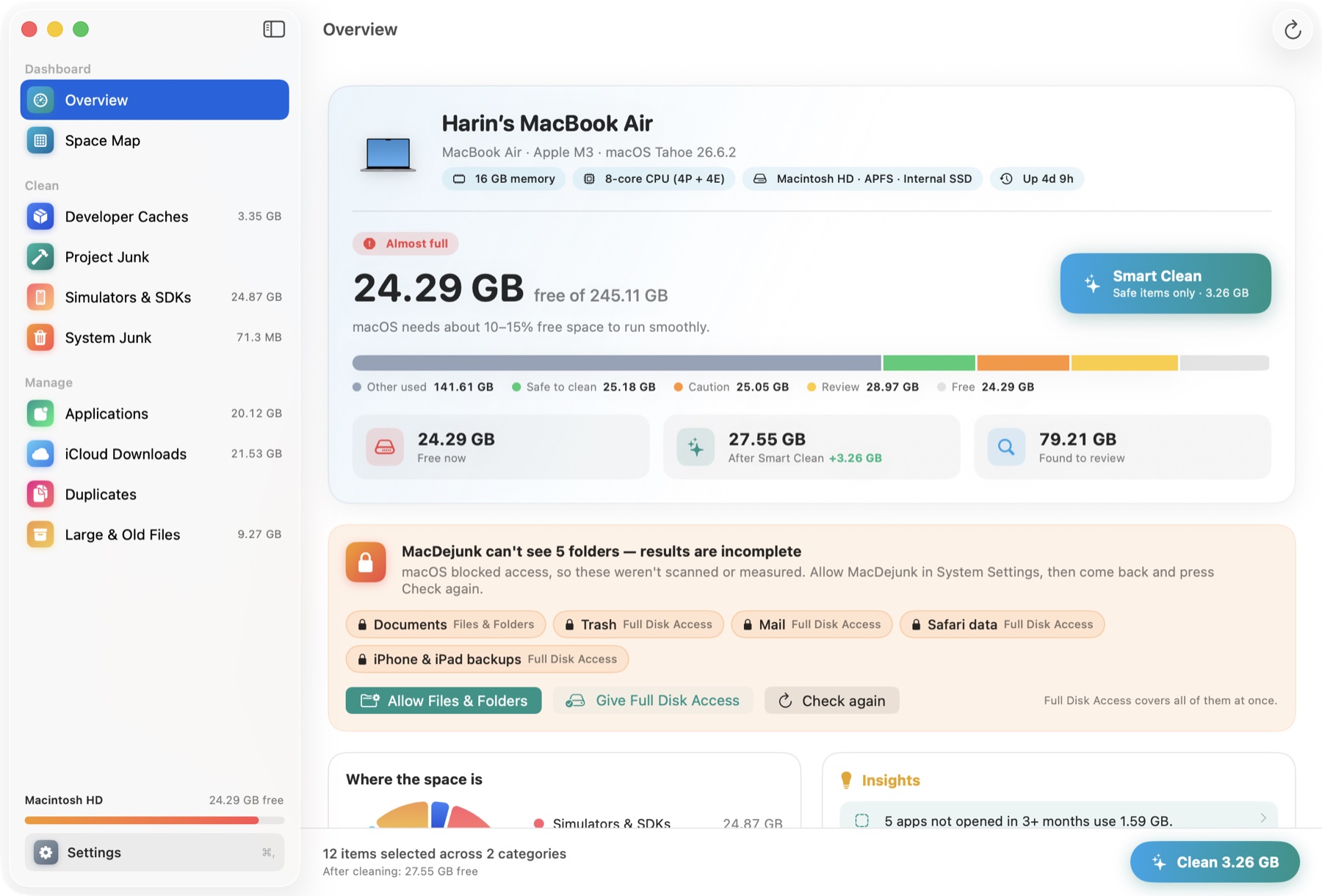
* Results from our own development Mac. Results on your Mac depend on the tools and projects you use.
Knows where these tools hide your space
Every item comes with what it is, what recreates it, and how risky it is to remove.
Xcode DerivedData, Gradle, npm, Yarn, pnpm, pub, CocoaPods, pip, Cargo — plus brew cleanup.
node_modules, .next, build, Pods, .dart_tool, target — only when a marker file proves what they are. Stale projects flagged.
Old iOS simulator runtimes (8 GB each), simulator data, Android NDKs, system images and emulators.
App caches, logs, temp files, crash reports, iPhone backups & updates, Mail downloads, Docker.
Every app with its size, last use and leftovers. Uninstall removes the app and its Library data. Finds leftovers of deleted apps.
iCloud files stored locally. Remove the download — the file stays in iCloud and on your other devices.
Byte-identical files, verified with SHA-256. Keeps the oldest copy, removes the rest.
Huge files, leftover installers, zips already unzipped next to themselves, downloads untouched for months.
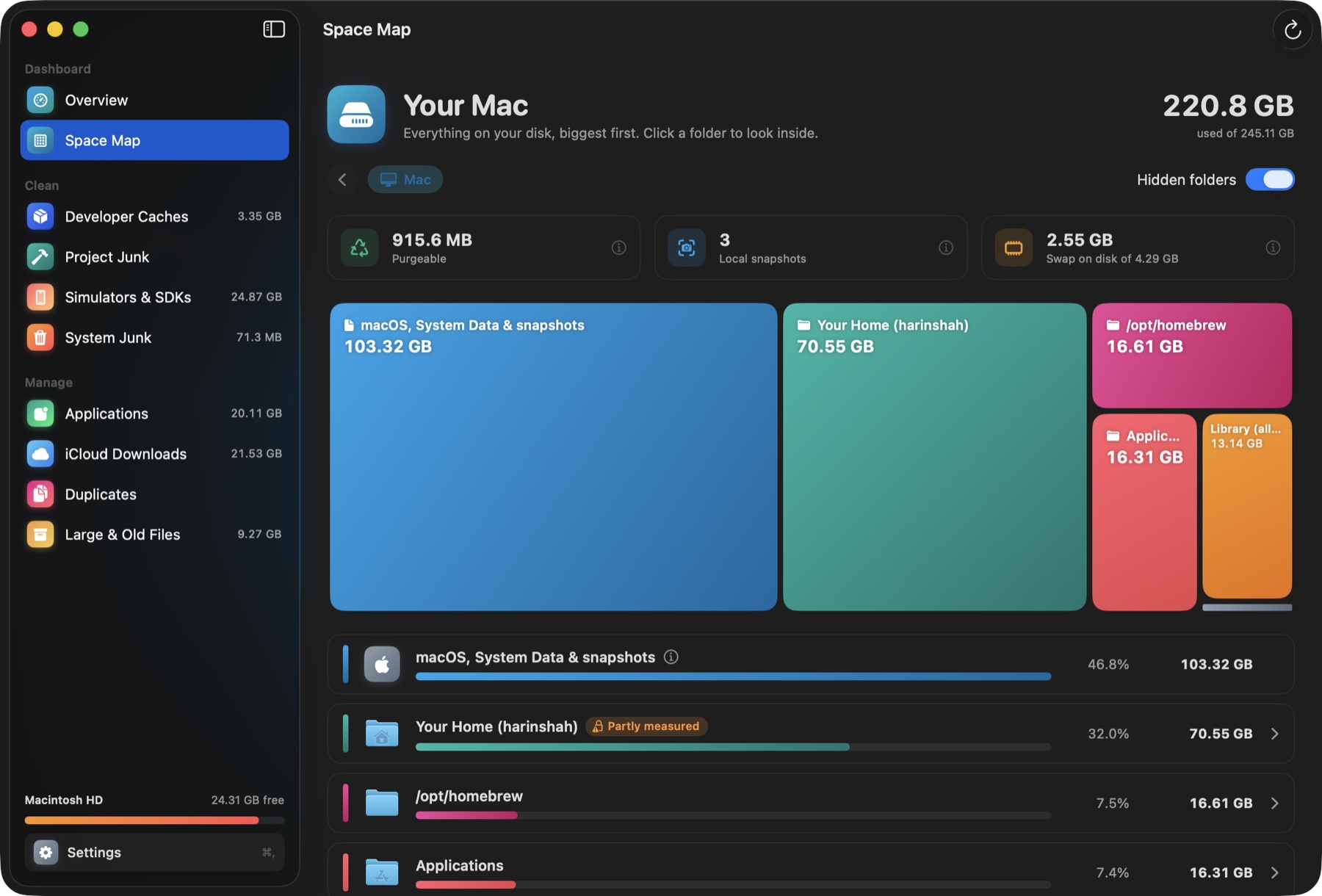
A colour map of everything on your Mac, biggest first. Click into any folder — hidden ones too, like ~/.gradle and ~/.npm — and MacDejunk tags what it knows how to clean.
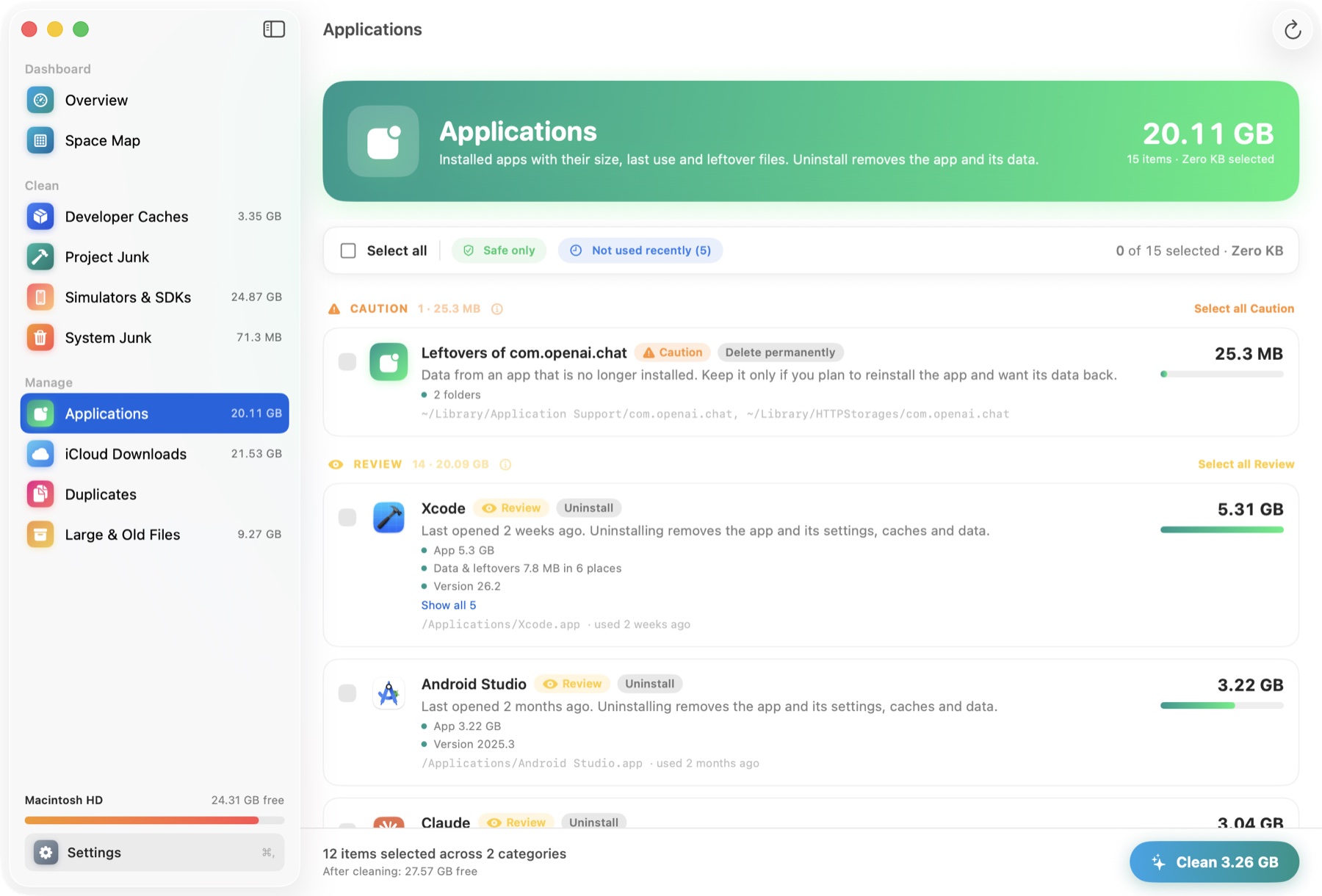
Dragging an app to the Trash leaves its caches, containers and settings behind. MacDejunk shows every app's real footprint and when you last opened it, then removes all of it in one go.
Every item gets a label. Only Safe items are ever pre-selected.
Caches and build output your tools recreate. Worst case: the next build takes a little longer.
Simulator runtimes, SDKs, archives, simulator data. Fine to remove — just big or slow to get back.
Apps, large files, duplicates, downloads. MacDejunk points them out; only you decide.
| Caches & build output | Deleted from disk immediately — they regenerate |
| Your files, duplicates, apps | Moved to Trash first, then one click frees exactly those items |
| iCloud files | Local copy removed; the file stays in iCloud |
| Homebrew, simulators, Docker | Cleaned by the tool itself (brew cleanup, xcrun simctl, docker prune) |
After every clean MacDejunk re-measures your disk and shows the real number freed — not an estimate. It never touches macOS, your Keychain, Photos library or anything outside your home folder (except apps you choose to uninstall).
A 245 GB developer Mac with React Native, Flutter, Next.js and iOS projects had 7.6 GB free. Your results will vary with the tools and projects on your Mac.
12.78 GB freed
Free space 12.24 GB → 25.02 GB, measured on disk, in one clean of Safe items.
node_modules 4.94 GB · npm cache 3.95 GB · Android build 1.42 GB · Pods 977 MB · .dart_tool 710 MB · .next 699 MB …
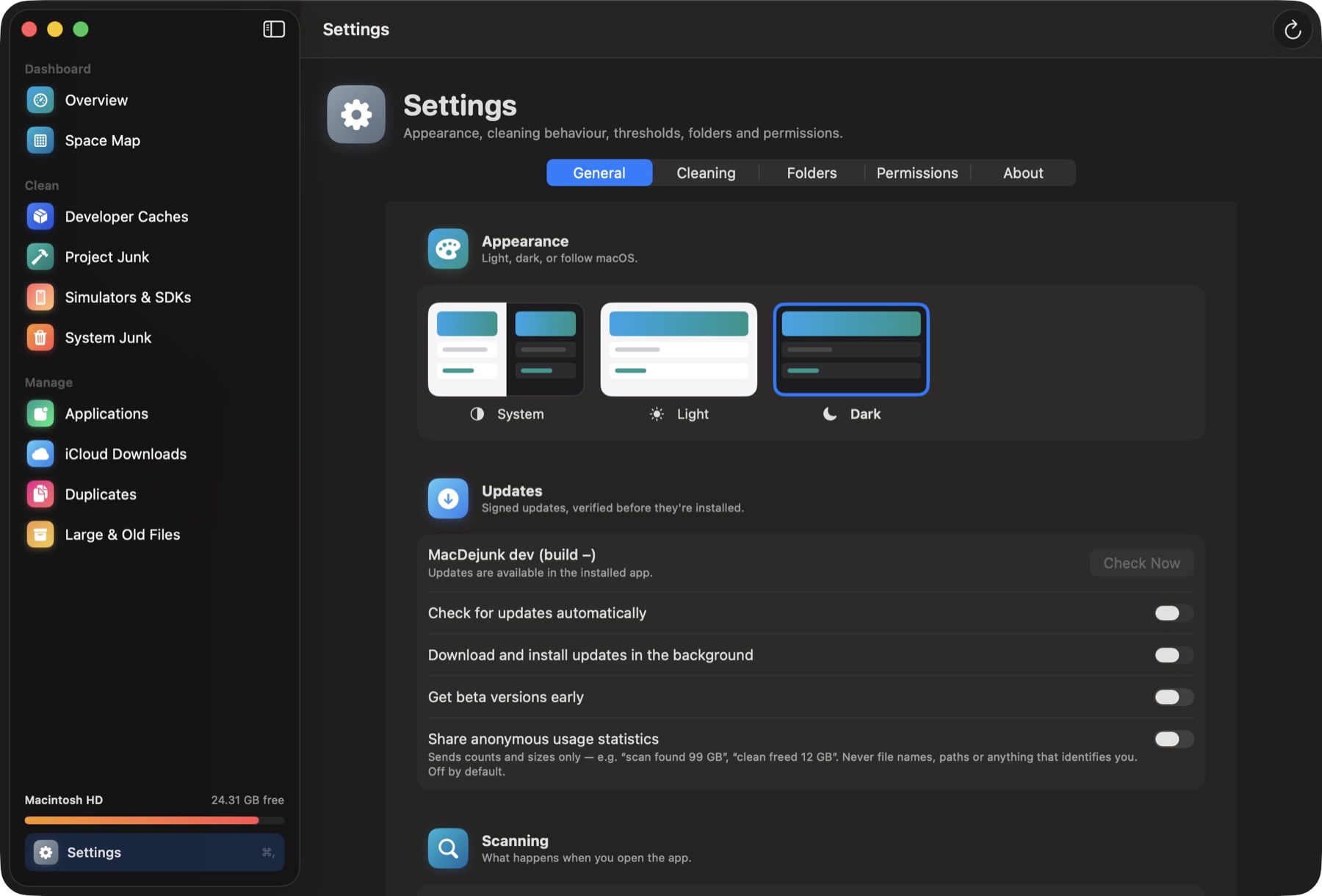
Built in SwiftUI, light and dark mode, updates itself. No account and no tracking — the scan runs entirely on your machine. The only network request is a daily update check; anonymous usage counts are strictly opt-in.

macOS 14 Sonoma or later · Apple Silicon & Intel
Download MacDejunk (.dmg)SHA-256
What gets installed: one app, MacDejunk.app. No background services, login items, browser extensions or bundled software. MacDejunk only runs when you open it, and never deletes anything without your confirmation.
Free to use. By downloading you agree to the Terms of Use. See our Privacy Policy and how to uninstall.
No. Everything marked Safe is regenerated by the tool that made it — npm install, pod install, flutter pub get or your next build. The only cost is the time to download or rebuild it once.
App Store apps are sandboxed and can't read folders like ~/.gradle, ~/Library/Developer or your project folders — exactly where developer junk lives. That's why MacDejunk is downloaded directly from this site.
macOS hides the Trash, Mail, iPhone backups and other apps' data from every app by default. Without the permission MacDejunk still works, and clearly shows which folders it couldn't see.
Your own files, duplicates and apps go to the Trash first, so you can restore them. Caches and build output are deleted immediately because they regenerate. iCloud files are never deleted — only the local copy.
Package managers like pnpm share files between projects, and macOS snapshots can hold deleted data for a while. MacDejunk always reports the space it actually measured, not the estimate.
Your files, file names and paths never leave your Mac. MacDejunk checks for updates once a day (that request contains only the app version). If you turn on “Share anonymous usage statistics” in Settings, it also sends counts like “clean freed 12 GB” — off by default.
Yes. There are no ads, no in-app purchases and no account.
No. MacDejunk installs no background services or login items. It only scans when you open it, and it only deletes what you select and confirm.
Quit MacDejunk and drag it from Applications to the Trash. Full instructions, including how to remove its settings.
MacDejunk checks for new versions daily (or via MacDejunk → Check for Updates…). Every update is signed; the app verifies the signature before installing and refuses anything that doesn’t match.